
 Português
  Español
 Facebook Video Downloader
You can download Facebook video in one click. Just paste your video link and press Download.
Reels, video posts and IGTV. Public posts only.
How to download Facebook video in 3 steps
-
 1
1
Copy the Facebook video link
Tap the arrow under the post and choose Copy link. On a computer, right click the video and pick Show video URL.
-
 2
2
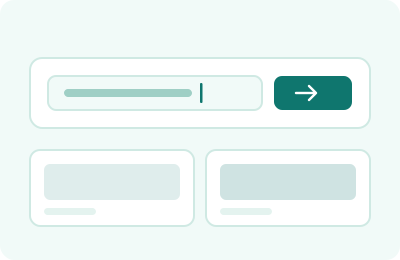
Paste it into the downloader
Put the link in the box at the top of this page and press Download. Reading the post takes a second or two.
-
 3
3
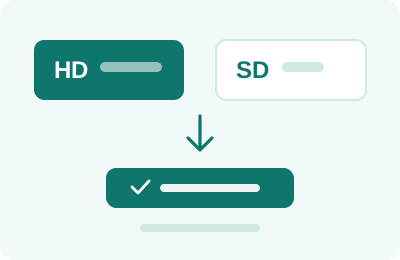
Pick HD or SD and save
Both copies appear with their size beside them. Press the one you want and the file saves.
HD or SD: which Facebook file to take
| HD | SD | |
|---|---|---|
| Typical size | Around 3x larger | About a third of HD |
| Best for | Keeping or re-editing | Phone viewing, slow data |
| Sound | Included | Included |
| Always offered | Only if uploaded in HD | Yes |
Which Facebook video links actually work
Addresses that point at the post itself: the ones with watch, videos, reel or share in them. A link copied while scrolling the feed often points at the feed rather than the post, and that cannot be read.
If nothing happens, open the video on its own page first, then copy the address from the browser bar. That one habit fixes most failed attempts.
FB video download in HD or SD
Facebook usually keeps two copies of every video. HD is the sharper one and the bigger file; SD is roughly a third of the size and still looks fine on a phone screen.
Both sizes are measured and shown before you choose, so on a slow connection you can knowingly take the smaller file instead of waiting.
What this Facebook downloader cannot reach
Videos inside private groups, on friends-only profiles, or anything Facebook shows only after you sign in. The file address is never sent to a logged out visitor, so there is genuinely nothing to fetch.
Live broadcasts are also out of reach while they are still running. Once the stream ends and becomes an ordinary post, it can be saved normally.
Facebook video download on phone and computer
The steps are the same on both, but copying the link differs. On a computer, right click the video and choose Show video URL, or open the video on its own page and take the address from the browser bar.
In the app, tap the arrow under the post and choose Copy link. Links copied from a share sheet work too, including the short fb.watch ones.
Saving Facebook reels and Watch videos
Reels and clips from Watch are read the same way as an ordinary post. If the video sits on a public page, its address is in the page and it can be saved.
Videos posted to a page rather than a personal profile tend to be the most reliable, because pages are public by default while profiles often are not.
Is it legal to save a Facebook video?
Keeping a copy of a public video for yourself is generally fine. Putting it back online under your own name is not, whatever tool produced the file.
For anything you intend to publish, ask whoever posted it first. It is a short message that saves a long argument.
Questions about saving Facebook videos
Does the sound come with it?
Yes. Both the HD and the SD copy carry their audio.
Can I download Facebook reels the same way?
Yes. Reels are handled exactly like any other video post.
Why is HD missing on some posts?
Some videos were only ever uploaded at one quality, so there is nothing sharper to offer.
Do I need to install anything for FB video download?
No. It runs in your existing browser on a phone or a computer.
Can I save a video from a private group?
No. Those are visible only to signed-in members, so the file cannot be reached from outside.
Does fb.watch short link work?
Yes. Short links are followed through to the real post before it is read.
Why does my link fail while scrolling the feed?
A link copied mid-feed often points at the feed rather than the post. Open the video on its own page first.